


 There may already be college courses designed to teach Perez Hilton clones the fine art of blog posting.
Until you find the time to take a night class or two you can use this series of simple (but long) guides to writing a blog post with a solid foundation.
The Basics
Here are some of the basic elements of writing on a blog, whether you use it to find work or write about your favorite hobby.
Every bit of reading I link to in this series of articles is essential for those who want to write online and do a good job of it. Read them once, then read them again. I still go back and read through many of them from time to time.
In fact, some of the examples I use in this series are over ten years old. A testament to the idea of quality content.
Headlines
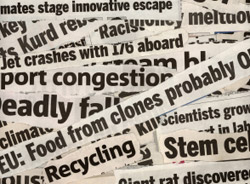 A good headline can make an article; the idea is to keep it short and sweet, make it catchy and include a keyword or two.
Copyblogger lays it out very well in their article about Writing Headlines That Work which provides examples of different types of titles and the capitalization that should be used.
Another helpful list by Chris Bloczynski offers 99 Headline Techniques to help give you some quick ideas.
Or if you just need some inspiration, check out Wordsmiths cool little title tool.
HTML
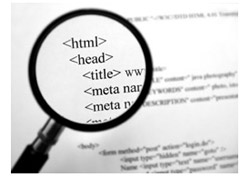
HTML means Hypertext Markup Language and is used to format both pages and posts on websites. Generally the formatting is left to the designers, however it is handy to have a working knowledge of the language.
I will expand on HTML in an article dedicated to it. However, these links offer basics for new writers.
HTML Code Tutorial is a very comprehensive guide and they offer tutorials, forums and resources.
And if all you need is a handy cheat sheet, this HTML Quicklist is a fantastic tool.
Punctuation
 My first issue here is the excessive use of multiple punctuation marks across the web.
One question mark is enough, adding more does not make it a stronger inquiry, and don’t even get me started on multiple exclamation marks!!!!
Extra punctuation smacks of infomercial and that is never the vibe that should be pursued, unless of course, you are writing an infomercial.
My second issue is that when it comes to editing, I run across more punctuation errors than any other kind of mistake.
Building credibility through your writing (especially on a blog) means that you need to proof read your work and keep excess punctuation to a minimum.
For a quick and easy reference sheet (which everyone should scan over periodically) check out National Punctuation Day, they offer a section dedicated to each punctuation mark.
Or if you want to read something more involved, the University of South Florida put together a resource called Punctuation Made Simple. It’s long, but worth a read, especially if it’s been a few years since you sat in an English class.

Common English Errors
We all have words or phrases that somewhere along the way we seem to have memorized incorrectly.
In fact, there are plenty of slip-ups that people use every day without even realizing they are wrong.
Your loved ones may think it’s cute, but I can almost guarantee that your readers won’t.
Although our misuse may not be intentional, as writers we are expected to know better and avoid the common mistakes.
Washington State University put in a lot of work to make it easy for writers to brush up on their Common English Errors.
Fair Use Laws
 Another point I will elaborate on later; images are a good way to help emphasize points, explain concepts and even make readers giggle.
If you use information or images that don’t belong to you always source them.
While there are plenty of places to find free images for use on blogs and websites, you must respect Fair Use Laws if you want to use them.
For a plain English version check out the Wiki.
These laws are put in place to ensure that everyone receives credit where credit is due and to make sure everyone stays honest.
Stay tuned for the second installment filled with tips, lingo and resources.


This article is extremely informative and I will be utilizing it to the best of my ability. Thank you for your hard work just to make my work a little easier.
R
I’m glad you liked it, there’s more to come.